
The Assistants module
AI assistants that handle conversations.
Deploy assistants that read your knowledge, follow your rules, and capture what matters, across every channel where you do business.
Channels
One assistant. Every channel.
Configure once. The assistant shows up where your customers do, including web widgets, social inboxes, messaging apps, and CRM bridges that put it inside the tools your team already uses.
- Direct
- Web widget · WhatsApp · Telegram · Instagram · Messenger · Slack · Discord
- CRM bridges
- AmoCRM · Kommo
Configuration
Tune every dimension.
The defaults work. The depth is there when you need it, across persona, knowledge, voice, extraction, actions, and handoff.
Persona
System prompt, communication style, and verbosity. Add brand voice or restrict the assistant to a specific role.
Learning Context
Upload documents, link URLs, or attach PDFs. The assistant grounds every answer in what you give it, with no hallucinated facts.
Voice
Text-to-speech voices for spoken responses. Pick a voice, or just a male or female one, and preview it before it goes live.
Session Variables
Define the fields the assistant extracts mid-conversation, such as name, intent, budget, and pain point, and they flow into CRM leads automatically.
Actions
Trigger webhooks, API calls, or workflows from within a conversation. Book meetings, create tickets, hand off to humans.
Human Handoff
Rule-based escalation when the customer asks for it or when the assistant hits the limits you have set.
From conversation to CRM
Every chat becomes a structured record.
What used to require a rep copying notes from a chat window into a spreadsheet now happens automatically, and accurately.
- 01 Customer starts a conversation on any connected channel
- 02 Assistant identifies intent, extracts the fields you defined, and grounds answers in your knowledge
- 03 A CRM lead is created, or merged with an existing contact, without manual entry
- 04 Custom fields populate the lead so the data is searchable, segmentable, and automation-ready
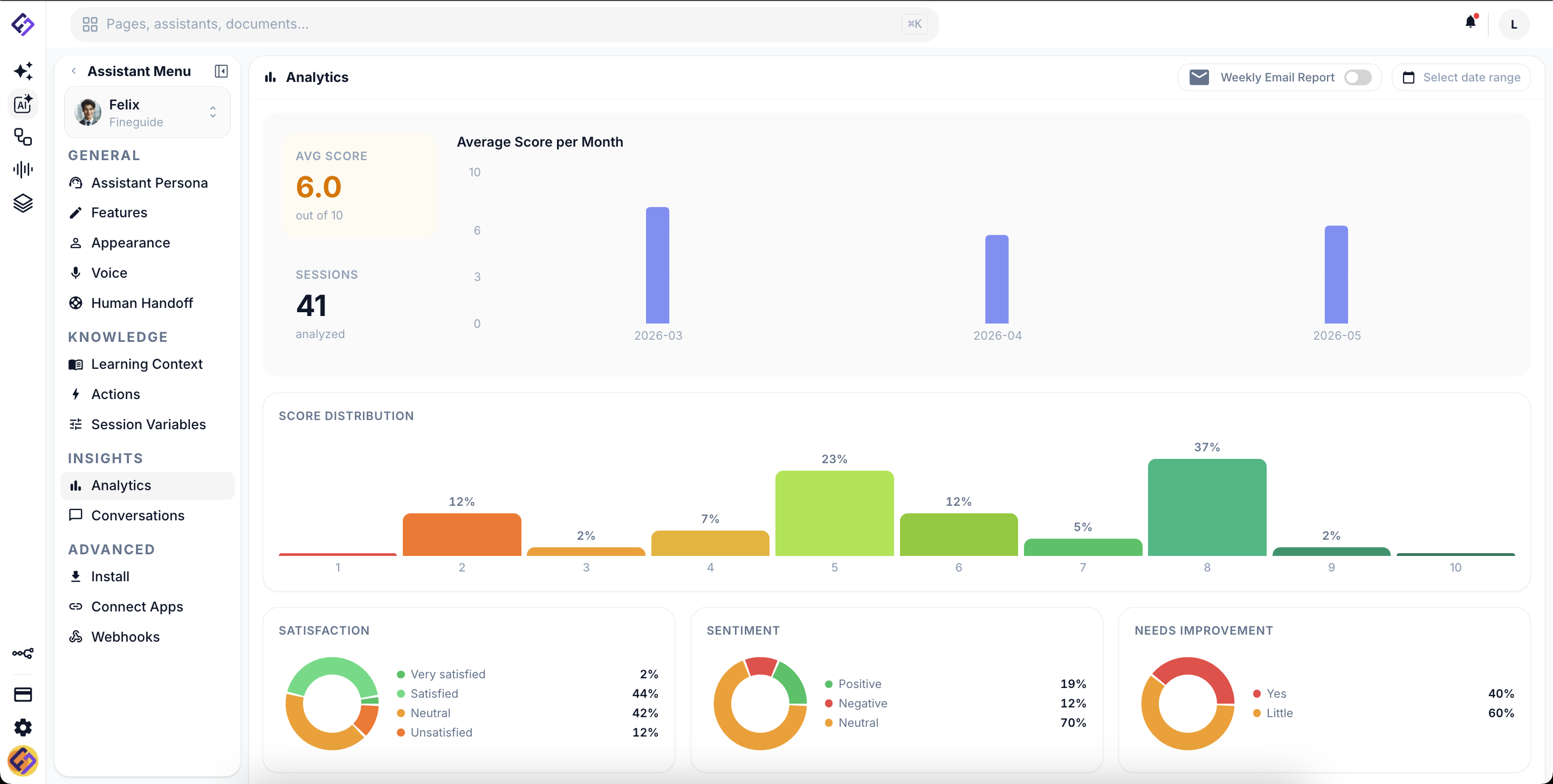
- 05 Live conversations roll up in the workspace; analytics aggregate by assistant, channel, and time
Anatomy of a lead
A lead is more than a name and a phone number.
Assistants capture the fields you care about, automatically, on every channel. Identity comes built in. Custom fields like budget, required service, or move-in date are the ones you define for your business.
Lead #4218
WhatsApp · 2 minutes ago
- Name
- Maria Popescu
- Phone
- +40 720 123 456
- [email protected]
- Required service
- Voice QA · 5 agents AI
- Budget
- €2,000 - €4,000 / month AI
- Intent
- Pricing & demo AI
- Stage
- Qualified
- Next action
- Schedule call
Fields tagged AI are populated by the assistant based on the conversation. Define your own in the assistant configuration.
Different business, different fields.
The fields you capture depend on what your team needs to know:
- Real estate
- Property type · Bedrooms · Budget · Move-in date · Financing status
- B2B SaaS
- Company size · Use case · Decision timeline · Current tools · Pilot interest
- Healthcare
- Service requested · Insurance · Preferred date · Specialist · Referral source
Ready to deploy?
See an assistant configured for your business in a 15-minute walkthrough.