
The Workspace module
Documents that live with the customer.
A block-based editor for playbooks, briefs, and team knowledge, connected to the same contacts and customers your team is already working with.
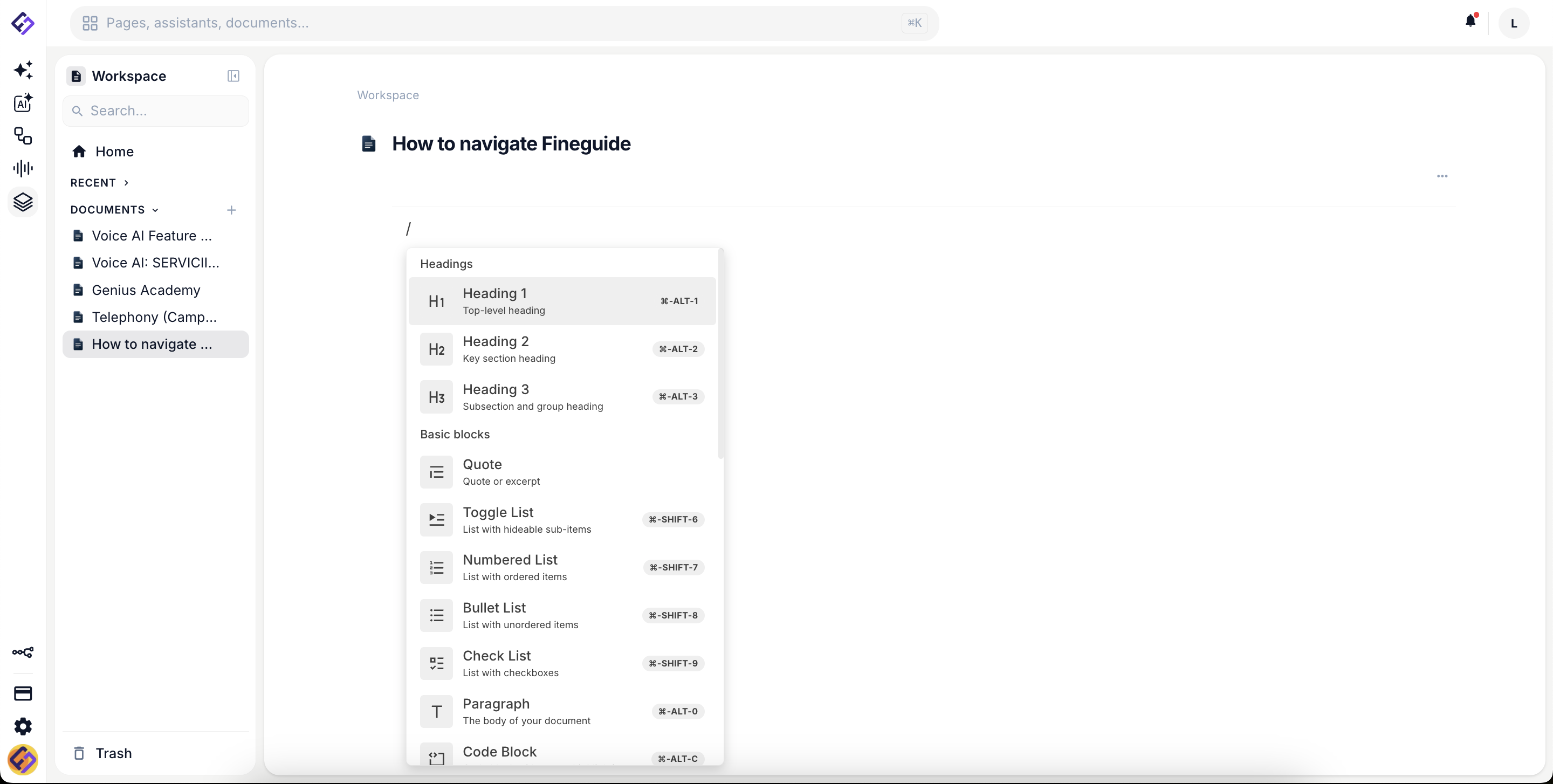
The editor
Blocks, not blank pages.
Headings, lists, quotes, code, callouts, and tables. Every block is composable. Slash commands speed up writing. Keyboard shortcuts speed up everything else.
Block-based structure
Headings, paragraphs, lists, quotes, code, tables, callouts. Drag to reorder, indent to nest, transform between types with a keystroke.
Slash commands
Type a slash to pull up every block type, embed, and shortcut. No menu hunting, no formatting interruptions.
Real-time updates
Edits propagate immediately across the team. Comments and mentions attach to the block, not a stale email thread.
Organization
Hierarchy, search, and recovery.
Workspace organizes itself around the way your team actually thinks, with folders for departments, documents for playbooks, recents and favorites for what you touched last week.
- Folder and document hierarchy with drag-and-drop reorder
- Recents and favorites for the docs you live in
- Full-text search across the entire workspace
- Soft-delete trash with recovery, so deleting is not destructive
Connected to your customers
Documents that know who they are about.
Link a document to a contact, a lead, or a customer record. The next person who opens that customer in CRM sees the playbook, the call summary, or the proposal that already exists. Nothing gets lost in Slack archaeology.
Ready to consolidate?
See workspace, CRM, and assistants together in a 15-minute walkthrough.