One assistant, separate knowledge for each of your users
Run one AI assistant for all your users with a private knowledge base each: create per-user learning contexts by API and open the chat with a context_id.
You can run one AI assistant for all of your users and still give each of them a separate knowledge base. In Fineguide, every user gets their own learning context, identified by an id you choose, such as your own user id. When a conversation carries that context_id, the assistant answers from that user’s documents and pages plus your shared FAQ, and from nothing that belongs to anyone else.
This is the setup platforms need when they put an assistant in front of their own customers: a learning platform where each student has their own course material, an agency serving many client businesses, a property manager with a folder per building, a SaaS product where each account has its own documentation. Building and maintaining one assistant per user doesn’t scale. One assistant with per-user knowledge does.
How it works
Three pieces fit together.
1. One assistant. You set it up once in Fineguide: persona, instructions, tone, language, the actions it can take, what it should never say. Everyone shares this configuration, so an improvement to the assistant improves it for every user at once.
2. A learning context per user. A learning context is a set of knowledge sources: web pages and uploaded documents (PDF, Word, Excel, CSV, text, HTML, Markdown). Each one has an id. For per-user knowledge, the id is a string you choose, for example user-42 or the user’s id in your own database. You don’t need to store a mapping anywhere: your user id is the context id.
3. A context_id on the conversation. When a conversation starts with context_id=user-42, retrieval is scoped to:
- the
user-42context, and - the assistant’s shared contexts, such as your FAQ.
Without a context_id, the assistant searches all of its contexts, as usual. And if you have web search switched on for the assistant, it keeps working either way, since it is a separate source.
| Conversation | What the assistant searches |
|---|---|
With context_id=user-42 | user-42’s private context + shared FAQ |
With context_id=user-77 | user-77’s private context + shared FAQ |
Without a context_id | All of the assistant’s contexts |
User 42 never gets an answer built from user 77’s documents.
Step 1: create a context for a user
Contexts are managed through Fineguide’s REST API, with an API key from Settings → API Keys sent in the x-api-key header. The base address is https://fineguide.ai/api/core/rest/bots/{botId}/contexts, where {botId} is your assistant’s id.
Create a context when a user signs up, or the first time they need the assistant:
curl -X POST "https://fineguide.ai/api/core/rest/bots/$BOT/contexts" \
  -H "x-api-key: $KEY" -H "Content-Type: application/json" \
  -d '{"id": "user-42", "name": "Acme Ltd knowledge", "urls": ["https://acme.example.com/help"]}'
The urls can be web pages to read, or an empty list if the user will only upload files. Indexing starts straight away; the context’s status moves from IN_PROGRESS to COMPLETED when it’s ready. With autoSync on (the default), web pages are kept up to date automatically, re-read more often when they change often and less often when they don’t.
Step 2: add the user’s documents
Upload a file into that user’s context:
curl -X POST "https://fineguide.ai/api/core/rest/bots/$BOT/contexts/user-42/documents" \
  -H "x-api-key: $KEY" -F "file=@contract-terms.pdf"
Need to change the pages later? PATCH the context with a new urls list. Want everything re-read right now? POST .../contexts/user-42/resync. User leaves your platform? DELETE .../contexts/user-42. Listing all contexts, with paging, is a GET on the same address.
Step 3: open the chat for that user
The context_id reaches the conversation in one of two simple ways.
A link or an iframe. Add it to the chat address as a query parameter:
<iframe src="https://client.fineguide.ai/<assistant-id>?context_id=user-42"
        style="border:none; width:100%; height:600px"></iframe>
Your app builds this address for the signed-in user, so each user’s chat is scoped to their own knowledge.
A message from your page. If the chat is already open, your page can set or switch the context with postMessage:
iframe.contentWindow.postMessage(
  { message: "FG_PARENT_SET_SESSION_DATA",
    parameter: { botId, origin: location.origin, contextId: "user-42" } },
  "https://client.fineguide.ai");
The latest value always wins: when a returning user opens the chat again, the conversation takes the context_id it was opened with, whatever it held before.
What stays shared
Not everything should be per user. Answers that apply to everyone, such as your opening hours, how billing works or how to reset a password, belong in the assistant’s question-and-answer pairs. These form a shared context that every scoped conversation searches as well. Write it once; every user benefits.
That gives you a clean split:
- Shared (FAQ): your product, your policies, your support process
- Private (per user): their documents, their pages, their data
A worked example
Picture an accounting firm with 300 small-business clients. Each client has their own contract, price list and the documents the firm prepared for them. Clients keep asking the same kind of question, “what’s included in my package?”, “when is my VAT return due?”, but the answer is different for each.
The firm builds one assistant in Fineguide with its tone, its rules (“never give tax advice, offer a call with the accountant instead”) and an FAQ about how the firm works. For each client, its system creates a context with the client’s id and uploads their contract and schedule. The client portal opens the chat with that id.
A client asks “what does my package include?” and gets an answer from their own contract, not a generic list and certainly not another client’s. A question about the firm’s office hours is answered from the shared FAQ. One assistant, 300 knowledge bases, nothing to maintain per client except their documents.
FAQ
Do I need a separate assistant for each user? No. Each context is simply a named group of sources with your id on it, and all of them run on the same assistant, with the same persona and instructions.
Can one user’s id be reused for another assistant?
Yes. Context ids are unique per assistant, so user-42 can exist on your support assistant and your sales assistant independently.
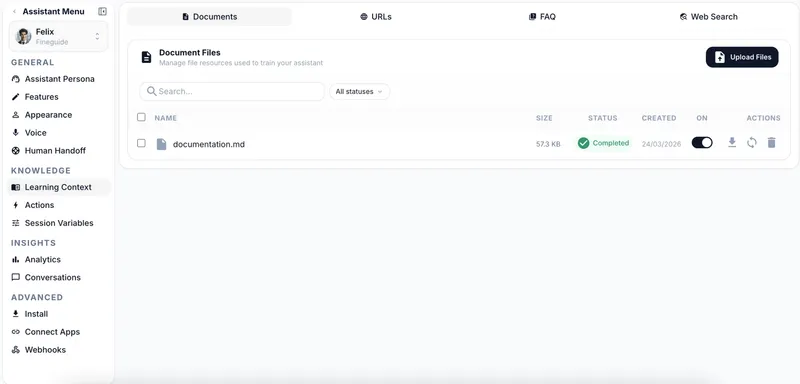
Can I still manage these contexts in the app? Yes. They appear in the assistant’s Learning Context, next to the knowledge you added by hand. If you are new to learning contexts, start with training a chatbot on your documents.
Do I have to change the assistant when I add a user? No. Adding a user is one API call to create their context. The assistant’s persona, instructions and actions stay exactly as they are, for everyone.
Build it into your product
If you run a platform and want an assistant that knows each of your customers, this is the setup to use. Create a context per user, upload their documents, open the chat with their id. See what else the AI assistants can do, and if your plan is bigger than a single integration, the Enterprise team can help you design it.