
The Workspace module
Documents that live with the customer.
A block-based editor for playbooks, briefs, and team knowledge, in the same product as the contacts and customers your team is already working with.
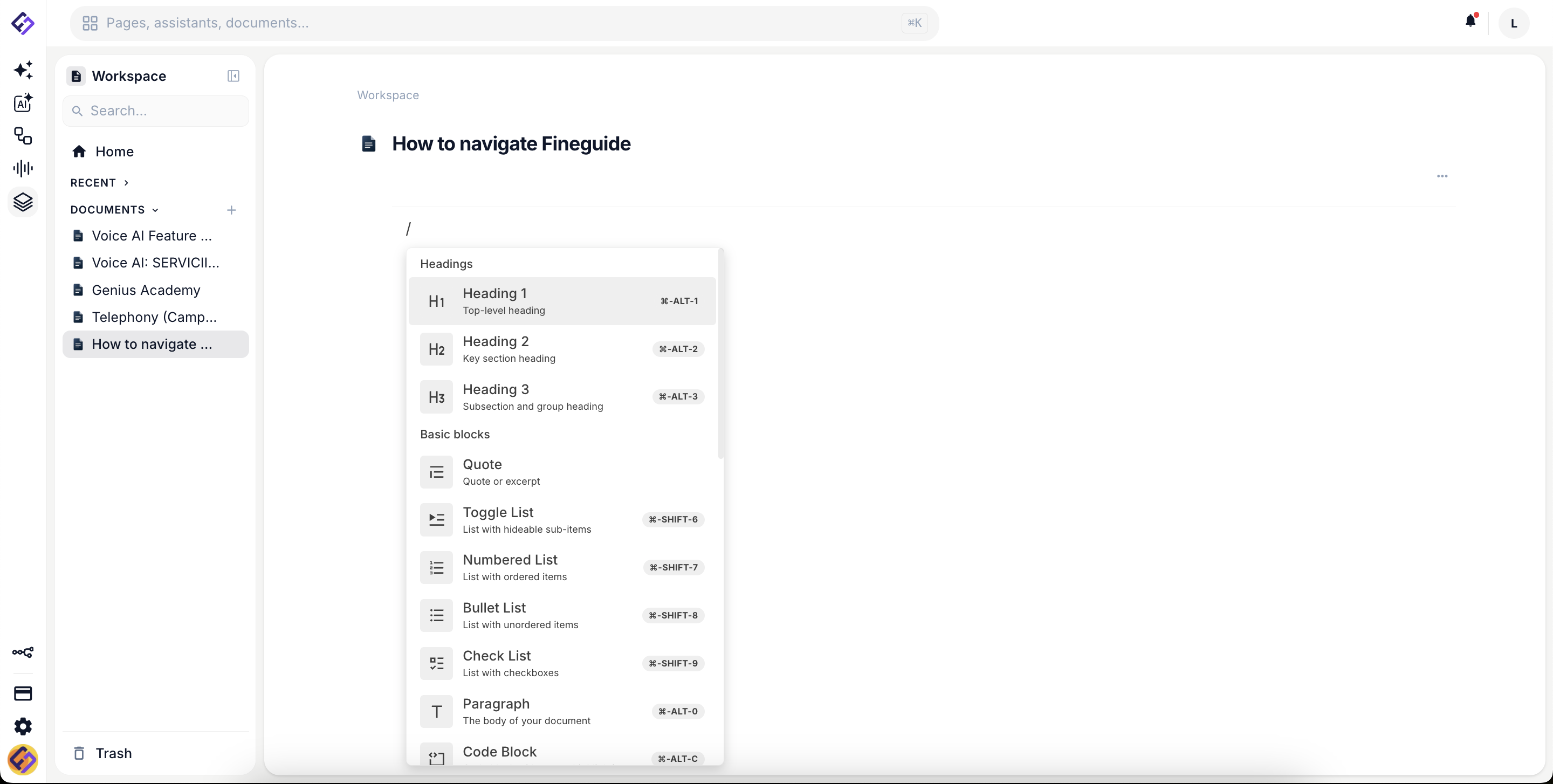
The editor
Blocks, not blank pages.
Headings, lists, checklists, quotes, code, tables, images and files. Every block is composable. Slash commands speed up writing. Keyboard shortcuts speed up everything else.
Block-based structure
Headings, paragraphs, lists, checklists, quotes, code and tables. Drag to reorder, indent to nest, and drop images and files straight into the page.
Slash commands
Type a slash to pull up every block type and shortcut. No menu hunting, no formatting interruptions.
Links between documents
Point to another document from inside the text. One click opens it, so a playbook can lead straight to the brief or the checklist it depends on.
Organization
Hierarchy, favourites, and recovery.
Workspace organizes itself around the way your team actually thinks, with folders for departments, documents for playbooks, recents and favourites for what you touched last week.
- Folder and document hierarchy with drag-and-drop reorder
- Recents and favourites for the docs you live in
- Search by document title across the workspace
- Trash with recovery, so deleting is not destructive
Connected to your customers
Case documents that know who they are about.
A case document carries the contacts it concerns, along with its own properties. Whoever opens the case sees who it is about, and the notes, files and decisions stay together in one place instead of scattered across chat threads.
Ready to consolidate?
See workspace, CRM, and assistants together in a 30-minute walkthrough.