Fineguide CRM with Built-In AI Assistants for Automated Lead Capture
Learn how FineGuide CRM uses built-in AI assistants, session data, and structured extraction to automatically create contacts, update leads, and streamline follow-up.
Have you ever wondered how many leads slip away simply because no one had time to capture the details fast enough? That’s exactly the problem FineGuide CRM is built to solve.
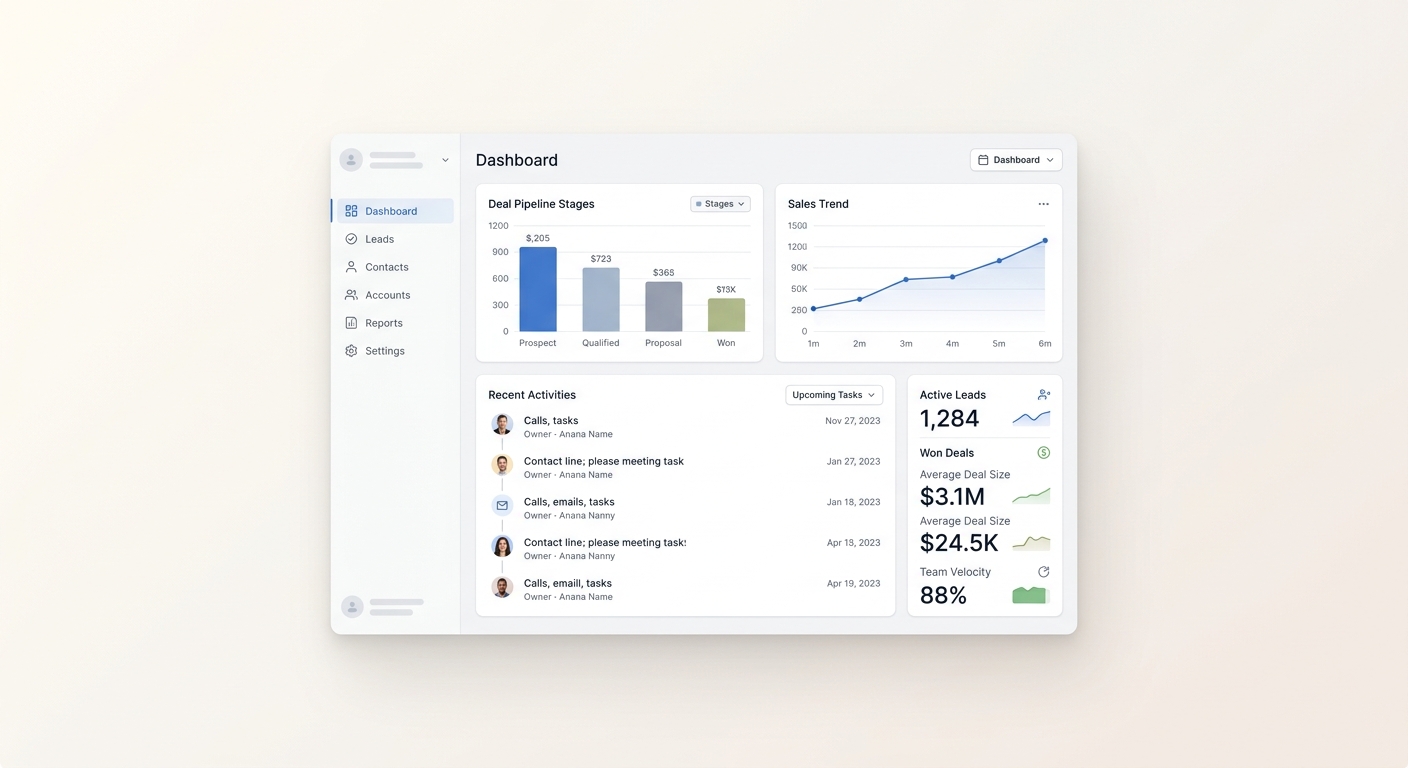
FineGuide CRM is more than a place to store contacts. It’s the operational layer for your organization, where contacts, leads, tasks, live conversations, tickets, inbox views, and queue views all work together in one connected system. Instead of treating chat as a separate channel, FineGuide uses it as the starting point for a durable CRM record.
What FineGuide CRM does
At its core, FineGuide CRM helps teams turn conversations into structured records automatically. When someone starts a chat, the assistant can extract the important details, identify the person behind the message, and create or update the right CRM entry.
That means your team doesn’t have to rely on manual note-taking or copy-pasting information from one place to another. The conversation becomes the source of truth.
How AI Assistants connect conversations to CRM data
The way this works is simple, but powerful.
FineGuide AI Assistants read the conversation and extract structured fields from the thread. Those details are then sent to the CRM layer, where the system uses the session as the key link between the conversation and the lead.
Each session can update the same lead over time, which means the record stays tied to the conversation that created it. This is especially useful when a visitor comes back later or when the assistant needs to gather more context before handing the lead over.
How leads and contacts are created automatically
FineGuide doesn’t just collect text and dump it into a note. It organizes the information into real CRM objects.
Here’s what happens behind the scenes:
- The assistant extracts structured data from the conversation.
- The system looks for identity details such as email or phone number.
- If those details exist, it finds or creates the contact.
- It creates or updates the lead linked to that session.
- Any extra qualification data is stored in lead properties, so nothing important is lost.
This is what makes the CRM useful beyond simple lead capture. You’re not just saving a chat transcript — you’re building a working record the team can act on.
Session data keeps everything connected
A big part of the system is the session itself. FineGuide uses session data to keep the lead, contact, and conversation aligned.
If the assistant captures a name, email, phone number, country, intent, or other known field, that information maps into the right CRM fields. Anything else can still be preserved in lead properties for later use.
That means the CRM stays structured without forcing every piece of data into a fixed column. It gives your team flexibility without losing clarity.
Setup is automatic
One of the best parts of FineGuide CRM is how easy it is to get started.
Just register, create an AI Assistant, and FineGuide automatically connects everything. Once the assistant is active, it begins adding leads directly to the CRM without any extra workflow setup.
There’s no complicated configuration process, no manual wiring between tools, and no extra steps to make the system work. The assistant and CRM are interconnected from the start.
Why this matters for sales teams
This kind of setup solves a very real problem: leads often arrive faster than teams can process them.
With FineGuide CRM, your team can:
- capture leads automatically from conversations
- reduce manual data entry
- keep contact records cleaner and more consistent
- respond faster to new opportunities
- preserve extra qualification details in CRM properties
- make sure every session has a durable record
The result is a smoother handoff between the assistant and your sales team, with less friction at every step.
A simple example
Imagine a visitor starts a conversation and asks about your service. The AI Assistant responds, asks a few qualifying questions, and gathers the information needed to identify the lead.
If the visitor shares an email or phone number, FineGuide creates or update the contact automatically. The lead is added to the CRM, tied to that session, and enriched with the captured details.
By the time a human teammate steps in, the record is already there.
Why this is different from a standard CRM
A standard CRM usually depends on manual entry or separate integrations to make lead capture work.
FineGuide takes a more connected approach. The CRM, assistants, and session data are designed to work together automatically, so the system can turn conversations into structured CRM records without extra setup.
That’s a major advantage if you want speed, simplicity, and fewer missed opportunities.
Final thoughts
If your team wants a faster way to turn conversations into qualified leads, FineGuide CRM makes that process straightforward. Register, create an AI Assistant, and let the system do the work of connecting conversations to CRM records automatically.
That simplicity is the real value: less manual work, cleaner data, and a CRM that helps your team move faster from first message to real opportunity.