
Introducing Fineguide's Claude Code Browser Plugin: Bring Claude Code Into Your Browser
Claude Code is already great at writing and changing code. But at Fineguide, we kept running into a very practical problem: modern web debugging does not happen only in the code editor.
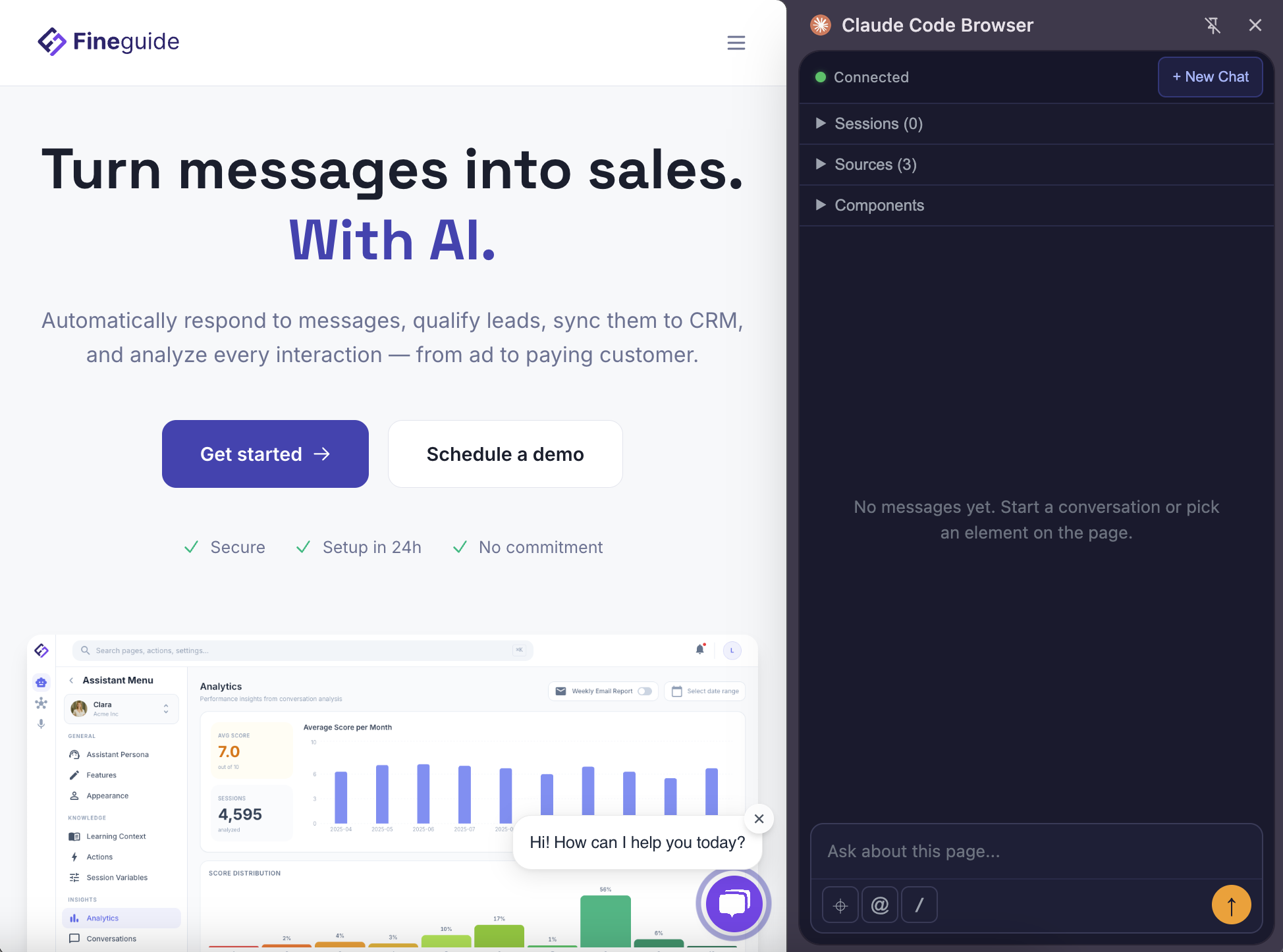
Claude Code is already great at writing and changing code. But at Fineguide, we kept running into a very practical problem: modern web debugging does not happen only in the code editor.
When you are building a web application, you often need to understand what is happening across both the frontend and the backend. You need to inspect what the browser renders, what the DOM looks like, how elements are structured, what data is coming from the backend, and how all of that connects to the codebase.
Switching between the browser, terminal, editor, screenshots, copied selectors, and manually described bugs slows everything down.
That is why we built Claude Code Browser, a Chrome extension that lets you use your local Claude Code instance directly from the browser.
Why we built it
Claude Code works well when it has the right context. But when debugging web interfaces, the most important context often lives in the browser.
You might see a broken layout, a button that does not behave correctly, a component that renders the wrong state, or a page that looks slightly off. Explaining that manually to Claude Code can be tedious.
You end up doing things like:
“Look at this button in the top-right corner.”
“Here is a screenshot.”
“This selector is probably the one.”
“The issue happens after this API response.”
That works, but it is not the natural way to debug a web page.
We wanted Claude Code to understand the page more directly.
What Claude Code Browser does
Claude Code Browser lets you point at elements on a web page and ask your local Claude Code instance to help debug, refactor, rewrite, or improve them.
It includes an element picker, DOM tree, and streaming chat, so you can work with Claude Code while staying close to the actual page you are building. The Chrome Web Store description calls this “visual web debugging with element picker, DOM tree, and streaming chat.”
With the extension, you can:
- Click an element on a page and ask Claude Code to fix or improve it.
- Capture DOM context automatically.
- Explore the page structure from the browser side panel.
- Chat with Claude Code while it works.
- Avoid copying selectors or manually describing page structure.
- Use it for debugging, frontend development, layout improvements, and design refinement.
This is useful not only for fixing bugs, but also for improving UI quality. You can ask Claude Code to polish spacing, adjust layout, improve responsive behavior, clean up components, or make a page feel more consistent.
It uses your local Claude Code installation
Claude Code Browser is not a separate Claude Code replacement.
It is a companion to the Claude Code CLI already installed on your machine. The extension uses your existing Claude Code account, credentials, and tokens, so there is no separate Claude account to create or manage inside the extension.
A small local Node.js bridge connects Chrome to your local Claude Code instance through Chrome’s native messaging API. That bridge starts a Claude Code agent session and exposes browser context such as the DOM, screenshots, and navigation to the agent over MCP.
In practice, this means you can use Claude Code from the browser in a way that still feels like using it locally on your machine, but with much richer page context.
A better workflow for web development
The main goal is simple: reduce the distance between what you see in the browser and what Claude Code can act on.
Instead of describing a problem manually, you can point to the relevant element. Instead of copying selectors, the extension can capture DOM context. Instead of jumping back and forth between tools, you can keep the browser, page structure, and Claude Code conversation connected.
That makes it especially useful when working on full-stack applications, where the issue might be caused by frontend rendering, backend data, or the way the two interact.
Open source and privacy-friendly
Claude Code Browser is open source under the MIT license. The listing also states that there is no telemetry, and that page content stays between your browser and your local Claude Code session rather than being sent to a third-party server by the extension.
Try it
Claude Code Browser is now live on the Chrome Web Store.
It is built for developers who already use Claude Code and want a tighter workflow between the browser, the page they are debugging, and the local Claude Code instance doing the work.
Point at a page element. Give Claude Code the right context. Fix, refactor, or improve it directly from the browser.